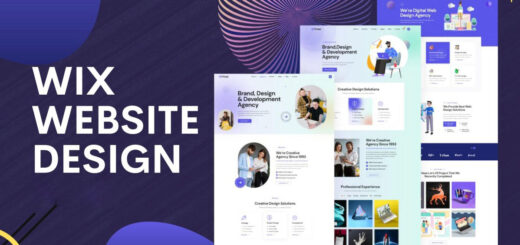
How to Build a Professional Website Using Wix in 2026
In 2026, having a professional website is essential for businesses, freelancers, and personal brands. With modern website builders like Wix, creating a high-quality website no longer requires coding skills or large budgets. Wix offers powerful design tools, AI features, and built-in SEO capabilities that make website creation fast, flexible, and effective.
This guide walks you through the steps to build a professional website using Wix in 2026.
Step 1: Define Your Website Goals
Before starting with Wix, clearly define what you want your website to achieve. Whether it’s generating leads, selling products, showcasing a portfolio, or building an online presence, having a clear goal helps you choose the right design and structure.
Knowing your target audience and business objectives ensures your website looks professional and functions effectively.
Step 2: Choose the Right Wix Template
Wix offers hundreds of professionally designed templates for different industries such as business, eCommerce, education, and portfolios. In 2026, Wix templates are fully responsive and optimized for both desktop and mobile devices.
Select a template that matches your brand style and content needs. Remember, templates are customizable, so focus on layout and structure rather than colors or images.
Step 3: Customize Your Design with Wix Editor
The Wix Editor allows you to customize every part of your website with simple drag-and-drop functionality. You can edit text, images, buttons, and sections without technical knowledge.
Use consistent fonts, colors, and spacing to maintain a professional look. Wix also provides design suggestions and layout guides to help keep your website visually balanced.
Step 4: Use Wix AI Tools for Faster Setup
In 2026, Wix’s AI-powered tools make website building even easier. Wix AI can generate layouts, write basic content, and suggest design elements based on your business type.
These tools save time and help beginners create professional websites quickly while still allowing full customization afterward.
Step 5: Add High-Quality Content
Professional websites rely on clear and engaging content. Add well-written text that explains your services, products, or personal brand. Use headings, bullet points, and visuals to make content easy to read.
High-quality images, videos, and icons help build trust and keep visitors engaged. Wix’s media library and integrations make it easy to enhance your content.
Step 6: Optimize Your Website for SEO
Wix includes built-in SEO features that help your website rank on search engines. Use the Wix SEO setup tool to add page titles, meta descriptions, and keywords.
Create SEO-friendly URLs, add alt text to images, and ensure your website loads quickly. These steps improve visibility and attract organic traffic.
Step 7: Make Your Website Mobile-Friendly
In 2026, most users browse websites on mobile devices. Wix automatically creates mobile-friendly versions of your site, but you should still review and optimize the mobile layout.
Adjust spacing, font sizes, and button placements to ensure a smooth experience on smaller screens.
Step 8: Add Essential Pages and Features
A professional Wix website should include essential pages such as:
- Home
- About
- Services or Products
- Contact
You can also add blogs, contact forms, booking systems, or online stores using Wix’s built-in features and app integrations.
Step 9: Test and Publish Your Website
Before publishing, test your website on different devices and browsers. Check links, forms, loading speed, and content accuracy.
Once everything looks good, publish your site and connect a custom domain for a more professional appearance.
Step 10: Maintain and Update Regularly
Building a website is not a one-time task. Regularly update content, add new blog posts, and monitor performance using Wix analytics. Keeping your website fresh and relevant improves user experience and search engine rankings.
Conclusion
Building a professional website using Wix in 2026 is easier and more powerful than ever. With its intuitive editor, AI-driven tools, and built-in SEO features, Wix enables anyone to create a modern, professional website without technical complexity. By following these steps, you can launch a website that looks great, performs well, and supports your long-term goals.